Ask Fellow: The AI Chief of Staff & Strategic Partner Your Meetings Have Been Missing
•
5
MIN READ
AI Summary by Fellow
It’s Tuesday morning. You have an upcoming meeting in ten minutes. You’re staring at last week’s notes trying to remember what was mentioned in the last meeting. You eventually find it, buried in bullet points from three weeks ago, but you’ve already lost five minutes of focus, and the meeting hasn’t even started.
That’s the version of meeting overhead nobody talks about. Not the meetings themselves, but the invisible tax around them: the scrambling to prep, the follow-ups you meant to send, the decisions that quietly evaporate, the action items that slip.
When follow-ups stall, performance conversations stall. When decisions aren’t documented, alignment erodes. When prep eats into real work, people burn out quietly. The tax compounds.
Ask Fellow was built to drastically reduce that tax, not by adding another tool to manage, but by removing operational drag from the workflow you already have.
What is Ask Fellow?
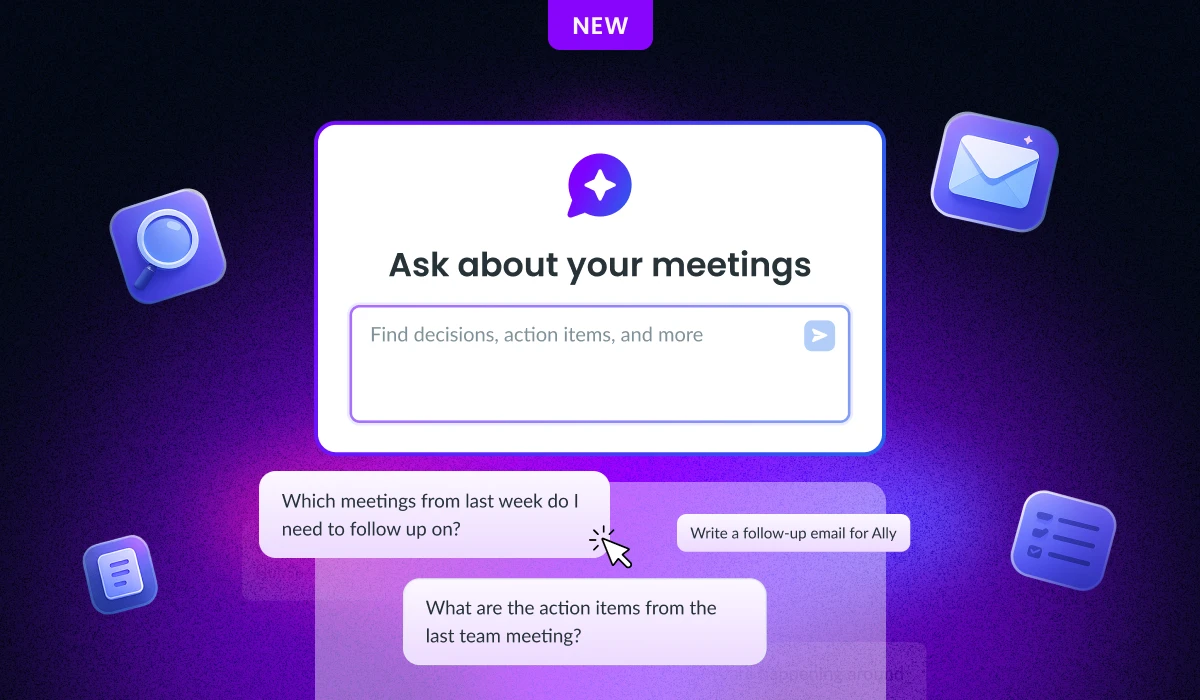
Ask Fellow is an in-app chat in Fellow that acts as a chief of staff for professionals who manage high meeting volumes. It goes beyond transcription and note-taking by providing contextual intelligence across the full meeting lifecycle; before, during, and after conversations.
Core capabilities:
Pre-meeting preparation: Surfaces relevant context and talking points before conversations begin
Real-time assistance: Provides in-meeting support and perspective
Post-meeting operationalization: Drafts follow-ups, documents decisions, and extracts action items automatically
Calendar coordination: Manages scheduling based on meeting content and priorities
Persistent memory: Retains context across meetings over time, not just individual sessions
Who it's for: Professionals running dozens of meetings per week who need to act on conversations without manual effort, including executives, managers, chiefs of staff, and revenue team leads.
How it differs from alternatives: Ask Fellow connects meeting content to workflow execution. It is not a chatbot or passive meeting recorder. It functions as an active operator embedded in the user's meeting stack.
How does Ask Fellow remember context?
The feature that makes everything else possible is Memory.
Most AI tools forget you when a session ends. Ask Fellow remembers context across meetings through a persistent memory layer that retains your preferences, priorities, and ongoing threads between sessions.
Tell it you don’t take meetings before 9am once, and it factors that into future scheduling suggestions. Flag a product launch as your main priority this quarter, and it applies that context when generating summaries, drafting emails, or surfacing risks.
You don’t re-explain yourself every time.
You can view, edit, or delete saved memories at any time in Settings. But practically, the longer you use Ask Fellow, the more it adapts to how you work.
How Ask Fellow helps before meetings
Whether it’s a recurring 1:1, team sync, or a client meeting, Ask Fellow can automatically surface what happened last time with a single click. It brings forward open action items, key decisions, unresolved discussions, and relevant historical context so you walk in aligned.
Instead of staring at a blank agenda, you start with structure. Instead of mentally tracking commitments across multiple direct reports, the system keeps continuity for you.
How Ask Fellow supports you during meetings
Joining late happens. Instead of interrupting the room to ask what you missed, you can request a real-time summary in seconds and regain context quietly. The conversation continues uninterrupted, and you remain oriented.
But the more strategic capability is counter perspectives.
When a discussion is moving quickly toward a decision, Ask Fellow can surface alternative considerations drawn from the conversation itself — resource constraints, conflicting data, overlooked risks, or adjacent implications. It won’t replace your judgment. It won’t make decisions for you. But it will help you pressure-test them without always being the person who slows the room down.
That’s where it starts acting less like a recorder and more like a strategic partner.
How Ask Fellow turns meetings into action when they’re done
Most meeting value disappears after the call ends. Notes sit in documents. Follow-ups get delayed. Decisions fade.
Ask Fellow operationalizes what was said.
A 45-minute customer conversation can become a drafted recap email in seconds, with action items assigned and recipients pre-filled based on who attended. You refine the tone. You press send. What used to take fifteen minutes now takes two.
Documentation works the same way. Customer insights, decision logs, and project memos are structured automatically from the transcript. Instead of copying and pasting across tools, you edit in place and export directly to Notion, Confluence, or Google Docs.
For teams running discovery calls, QBRs, or stakeholder syncs, this changes the outcome of conversations. Insights circulate. Decisions get archived. Context accumulates instead of fragmenting.
Ask Fellow also identifies key moments from longer recordings — decisions made, objections raised, critical announcements — and surfaces them as shareable clips. A two-minute decision summary is far more likely to be watched than a full-hour recording. The important moments become easy to find and easy to distribute.
Can Ask Fellow schedule and coordinate meetings automatically?
Ask Fellow can create, move, and coordinate meetings through natural conversation.
You can ask it to book a 30-minute follow-up with the design team in two weeks, and it creates the event, checks for conflicts, and suggests alternatives if necessary. You can ask what times you are free next Thursday, and it surfaces open slots that can immediately be converted into an invitation.
For leaders managing dense calendars, this eliminates reply-all scheduling threads and repetitive availability checks. The time reclaimed may seem incremental in isolation, but across a week of meetings, it compounds meaningfully.
How Is Fellow different from other AI meeting assistants?
Most AI meeting tools focus on capturing conversations and summarizing them afterward. Ask Fellow extends beyond that baseline. It retains long-term context through Memory. It generates structured operational outputs such as emails, agendas, and formal documentation. It surfaces counter perspectives during active discussions. It can take action directly on your calendar. And it operates within the workflow you already use instead of creating parallel systems to maintain.
Final thoughts
Individually, each capability saves time. Together, they create a workflow where meetings reliably produce what they’re supposed to.
Preparation happens without scrambling. Follow-ups go out while context is still fresh. Decisions are documented instead of lost. Action items persist beyond the conversation where they were created.
Ask Fellow does not replace leadership judgment. It removes the operational friction that prevents leaders from applying that judgment effectively.
It reduces the invisible tax that compounds across every week, every team, every conversation.
Fellow is the only AI meeting assistant with the privacy and control settings to ensure your centralized meeting recordings, notes, and summaries are only accessible by the right people.